ACER Chromebook Spin 713 – איך לסובב מסך

דרג סרטון זה
התחבר כדי לדרג
תיאור
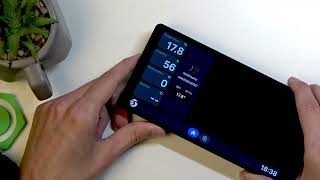
In this short, clear video you will learn how to rotate the screen on the ACER Chromebook Spin 713. I show two simple methods: change the orientation in Settings (0°, 90°, 180°, 270°) and use the convertible hinge/tablet mode so the display auto-rotates when you fold the device. This walkthrough covers opening Settings from the bottom-right quick tile, going to Device → Display, selecting the orientation you want, and how to put the Spin 713 into tablet mode for automatic rotation. These steps work for the ACER Chromebook Spin 713 and similar convertible Chromebooks.
How to rotate the screen on ACER Chromebook Spin 713?
How to change screen orientation on ACER Chromebook Spin 713?
How to enable tablet mode and auto-rotate on ACER Chromebook Spin 713?
0:00 Intro — What we'll show you
0:06 Open Settings (bottom-right quick tile → gear)
0:22 Device → Display — Change orientation to 0°, 90°, 180°, 270°
0:48 Tablet mode — fold the device and it will auto-rotate
1:28 Wrap up — tips and subscribe
#Acer #ChromebookSpin713 #RotateScreen #ChromebookTips
Find out more:
https://www.hardreset.info/devices/acer/acer-chromeb...
Follow us on Instagram ► https://www.instagram.com/hardreset.info
Like us on Facebook ► https://www.facebook.com/hardresetinfo/
Tweet us on Twitter ► https://twitter.com/HardResetI
Support us on TikTok ► https://www.tiktok.com/@hardreset.info
Use Reset Guides for many popular Apps ► https://www.hardreset.info/apps/apps/