
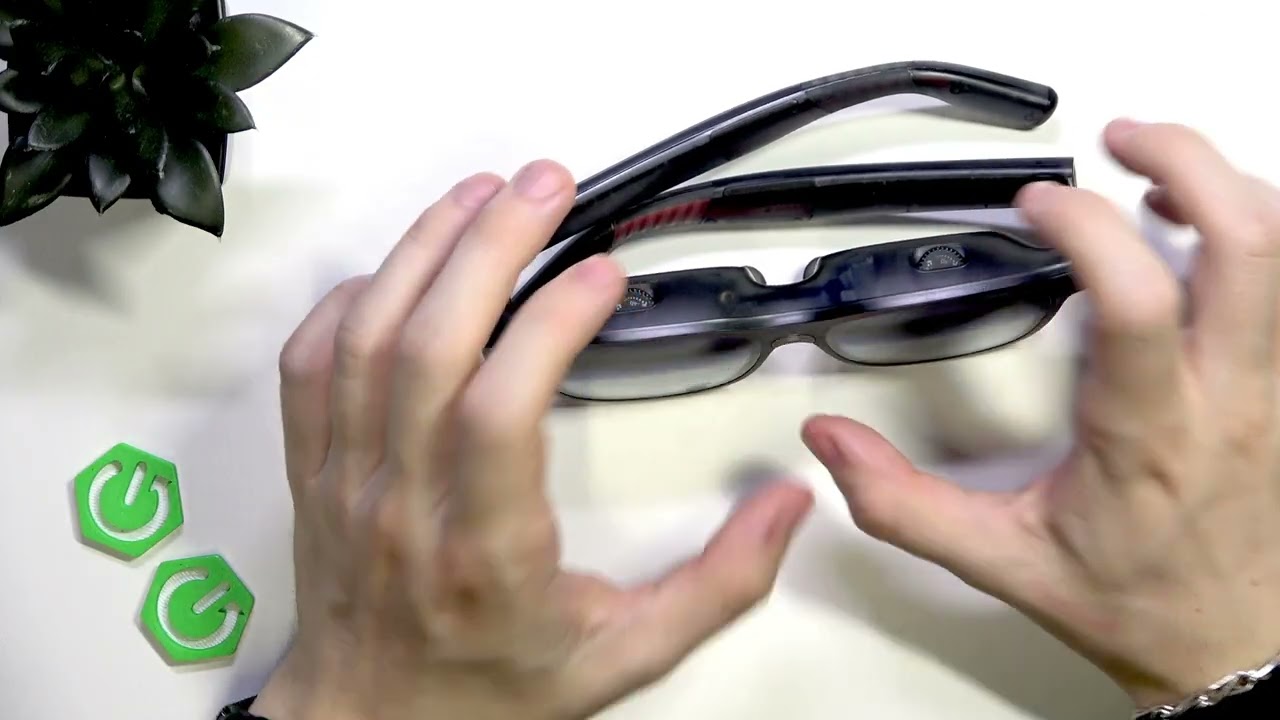
איך לכוון עדשה ב-VITURE XR Luma Pro
דרג סרטון זה
התחבר כדי לדרג
תיאור
In this video I show how to adjust the lens and focus on the VITURE XR Luma Pro glasses. You will learn the manual recommended -4D starting point, why that setting can feel too close for users with good vision, and an easy step-by-step method to find a comfortable, clear image. I explain how to start with the dials fully counterclockwise, test each eye separately, and slowly fine-tune the rotating diopters so the picture is sharp without feeling uncomfortably close. This guide is ideal if you want to optimize comfort and clarity on your VITURE XR Luma Pro. How to adjust lens on VITURE XR Luma Pro? How to set VITURE XR Luma Pro dials to -4D? How to calibrate focus per eye on VITURE XR Luma Pro? 0:00 Introduction — what we’ll adjust and why 0:09 Manual recommendation — factory/manual says set both dials to -4D 0:43 Why -4D can feel too close for some users 1:14 Recommended method — start fully counterclockwise, then fine-tune 1:56 Final tips — adjust one eye at a time and comfort check #VITURE #XRLumaPro #LensAdjust #VRGlasses Find out more: https://www.hardreset.info/devices/viture/viture-xr-luma-pro/ Follow us on Instagram ► https://www.instagram.com/hardreset.info Like us on Facebook ► https://www.facebook.com/hardresetinfo/ Tweet us on Twitter ► https://twitter.com/HardResetI Support us on TikTok ► https://www.tiktok.com/@hardreset.info Use Reset Guides for many popular Apps ► https://www.hardreset.info/apps/apps/



![נין הרב עובדיה חדד מהגאונים הישישים בשיעורי הינוקא לפני 16 שנה נקרא על שם רבינו הגאון שליטא [משוחזר]](https://i.ytimg.com/vi/1B2ffQsr9SE/hqdefault.jpg)


